Back to the changelog
Quick Replies: hide after first message
You can now hide quick replies once the visitor sends their first message.
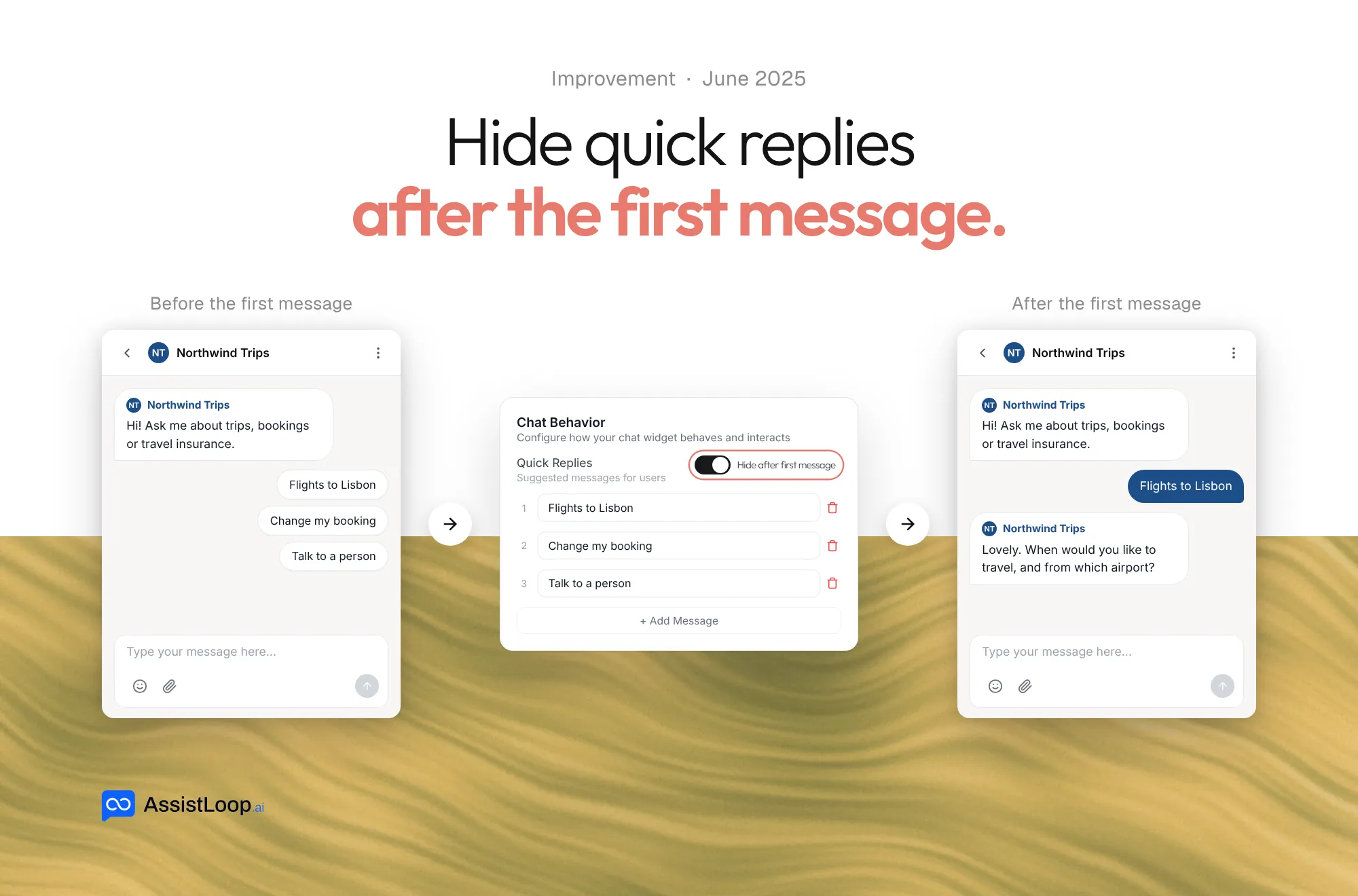
Quick replies help visitors start a chat in one tap. Once the chat has started, you may not want them on screen any more, so you can now hide them.
- Turn on Hide after first message under Quick Replies, in the widget's Behavior tab.
- The suggested messages disappear as soon as the visitor sends their first message.
- The conversation that follows has the chat window to itself.
- Leave the option off and quick replies stay visible, as before.