AssistLoop June 2025 Updates: Premium AI Models, Dark Mode and Calendly
What shipped in AssistLoop in June 2025: premium AI models, more widget styling and dark mode, an option to hide quick replies, Calendly booking in the chat, and add-ons.
 Yared2 min read
On this page
This is our release note from June 2025. For everything we've shipped since, see the changelog.
June 2025 brought six changes to AssistLoop: premium AI models, more ways to style the chat widget, dark mode, an option to hide quick replies, meeting booking with Calendly, and add-ons for extra capacity.
Premium AI models
You can now power an agent with premium models, including GPT-4o, OpenAI's reasoning models and Google's Gemini series. Use a stronger model for complex or detailed questions, and keep a standard model for simple ones: premium models use more credits per reply. They're available on paid plans.
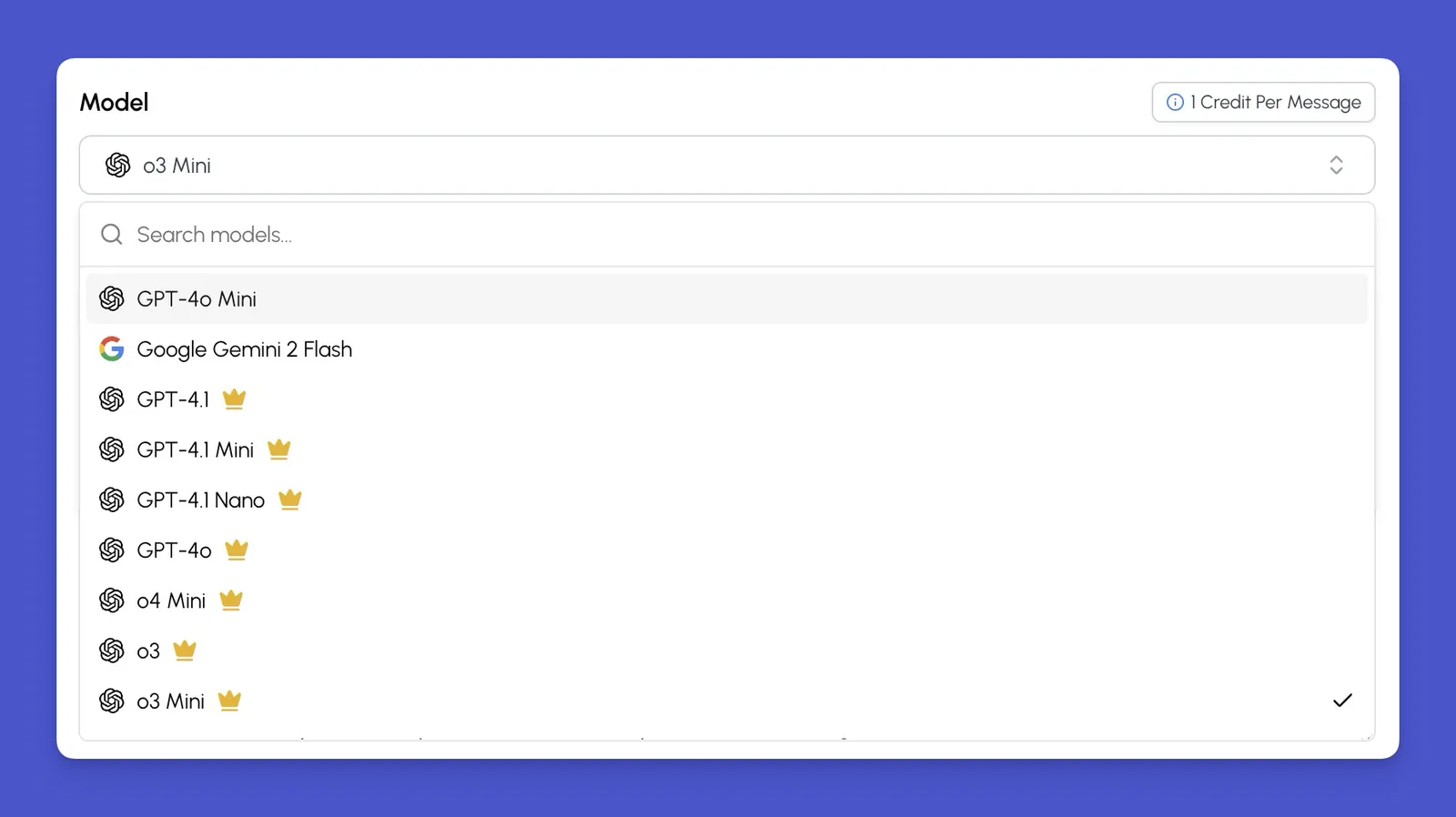
The models on offer have changed since. Today's list is on the AI models page.
More widget styling and dark mode
New options let you change the widget's theme, colours and layout so it matches your site. Dark mode is new too, for sites with dark designs.
Hide quick replies after the first message
Quick replies are suggested messages, such as "Schedule a demo" or "Send me your pricing", that visitors tap to start a chat. They launched in March 2025. This month we added an option to hide them once the visitor sends their first message, so they don't stay on screen for the rest of the conversation.
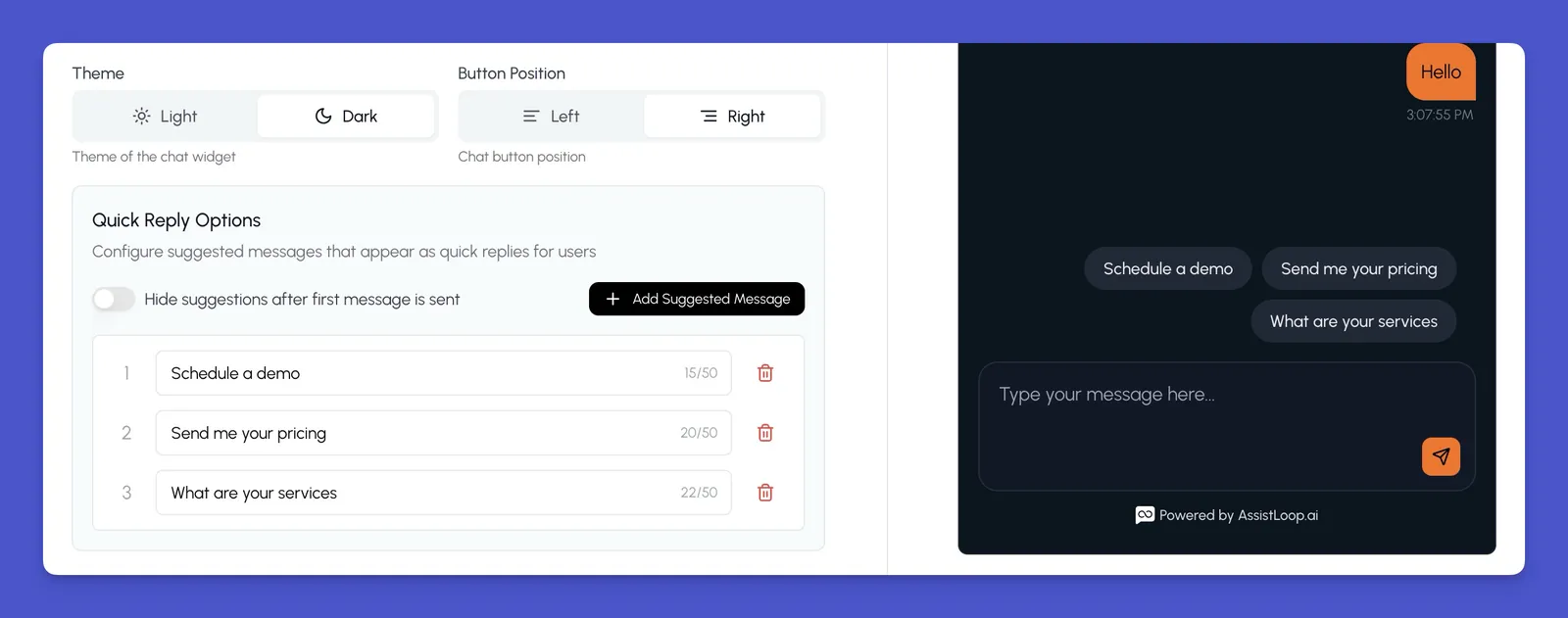
More in the changelog: Quick Replies and hide after first message.
Book meetings with Calendly in the chat
Connect Calendly, and your agent can book meetings inside the conversation. Set up several booking actions, for example for demos, support calls or consultations. Visitors pick a time without leaving the chat, and the booking lands in your Calendly account.
See the Calendly integration for how it works today.
Add-ons for more capacity
Add-ons let you buy extra message credits or add more AI agents without changing your plan. Current add-ons and prices are on the pricing page.
Build Custom AI Chatbot for Your Business FREE
Create intelligent AI agents that handle customer support, boost conversions, and work 24/7 for your business.
Build Your Agent